Students
AI, explained for their age.
A grade 5 student and a grade 11 student open the same app, but they do not see the same world, the same explanations or the same lessons.
- 144
- lessons on the platform
- 18
- lessons in every school year
- 8
- school years, grades 5–12
- 2
- languages: Romanian and English
A student’s day
From the printed slip to the class announcements
-
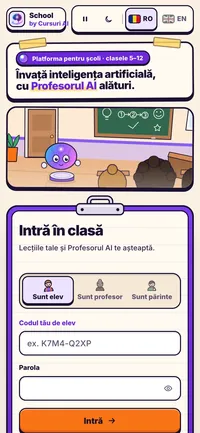
Signing in with the slip
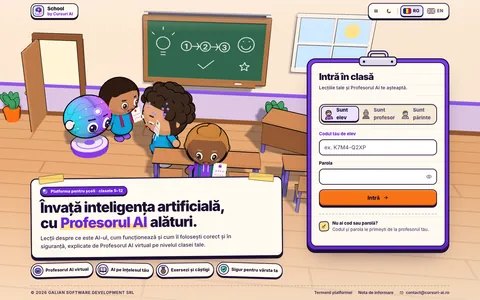
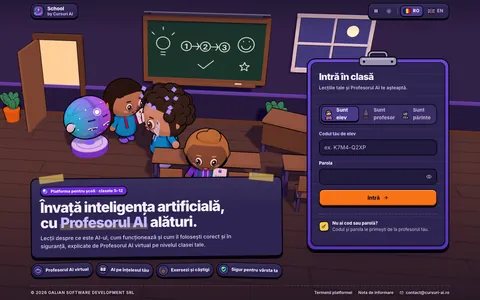
No email: the student code and the password printed by the teacher. Small letters and the hyphen do not matter.
-
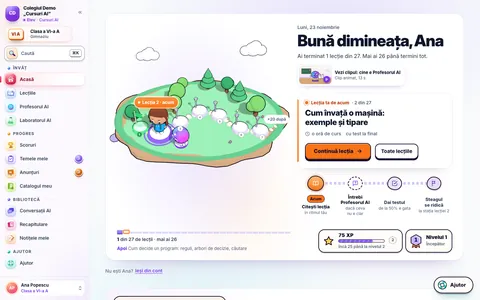
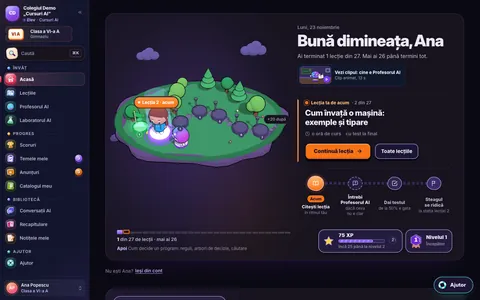
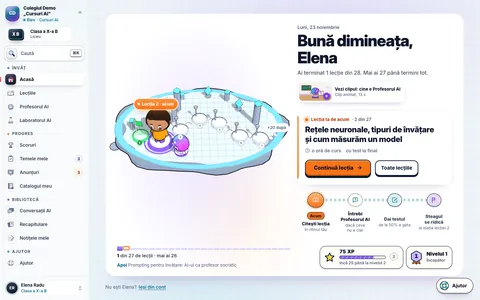
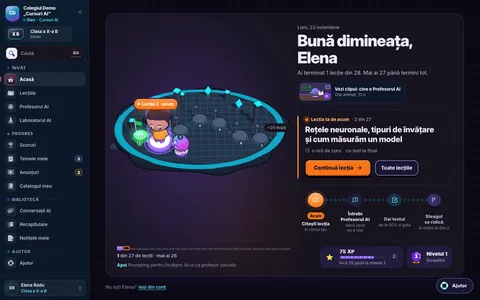
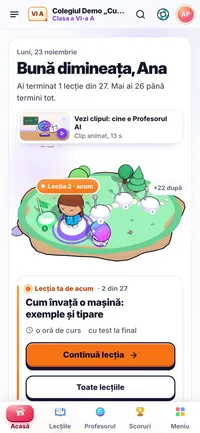
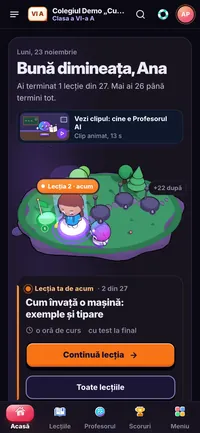
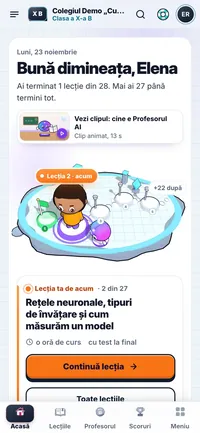
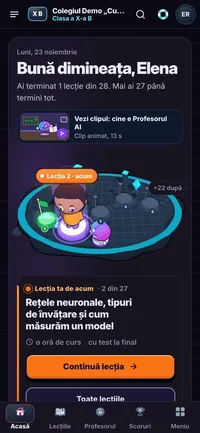
The home page
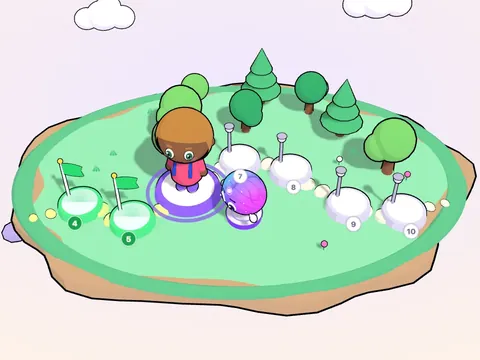
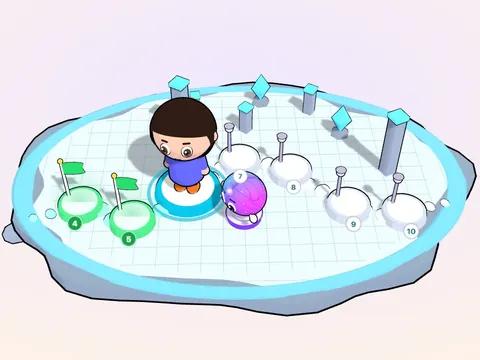
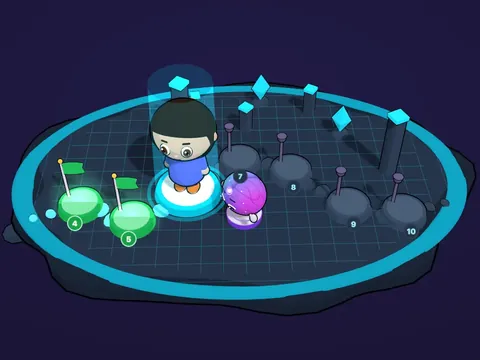
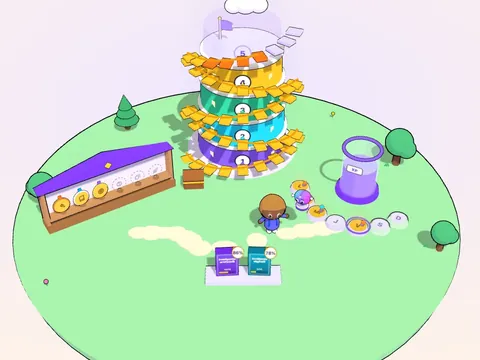
The lesson of the moment on the island, the points, the level and the homework of the class.
-
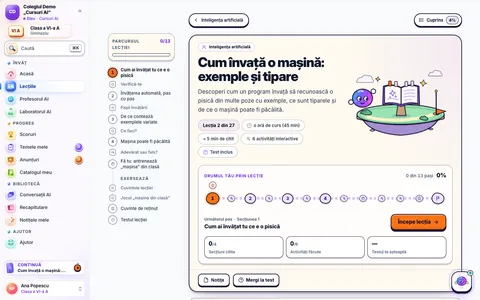
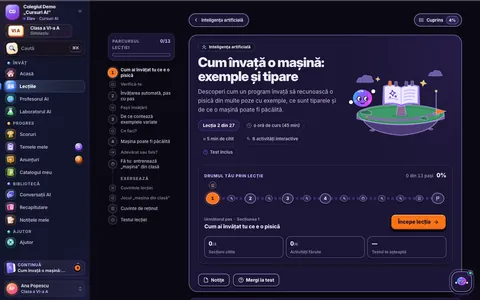
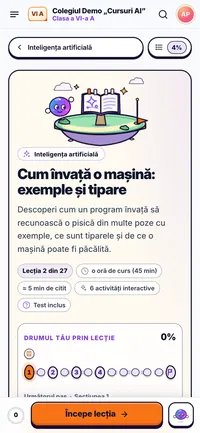
The lesson, section by section
Short sections, interactive activities and, at the end, a test with four questions marked from the answers.
-
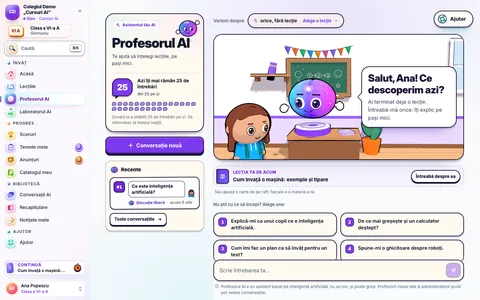
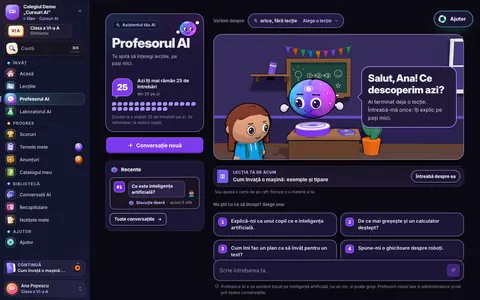
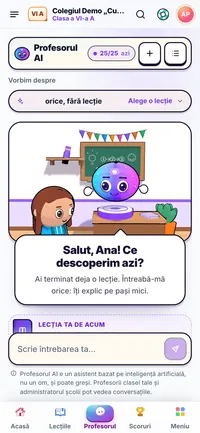
The AI Teacher in the lesson
A summary, practice and flashcards made from the lesson; questions suggested by it; the daily limit always visible.
-
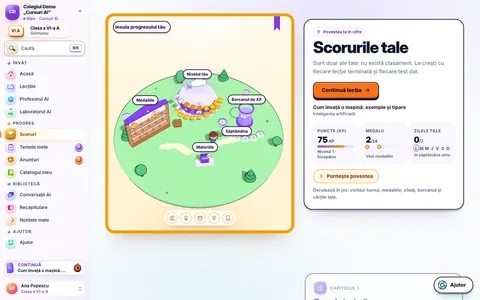
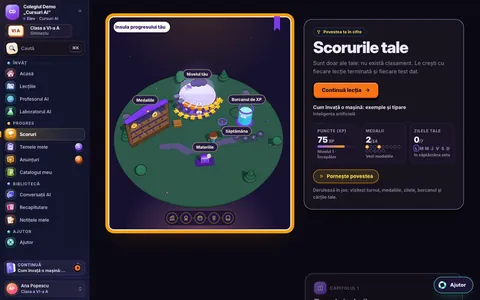


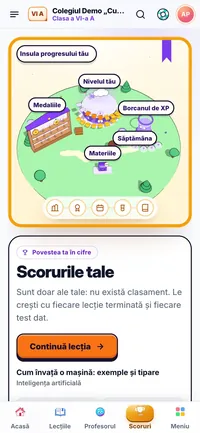
Scores and medals
The level, the medals and the learning days. The scores are the student’s own; there are no rankings.
-
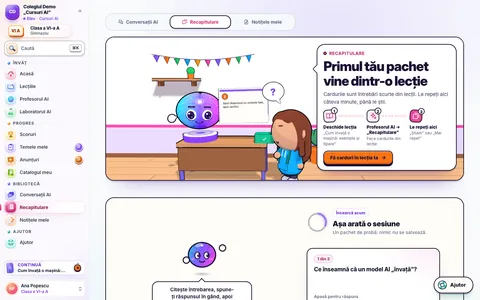
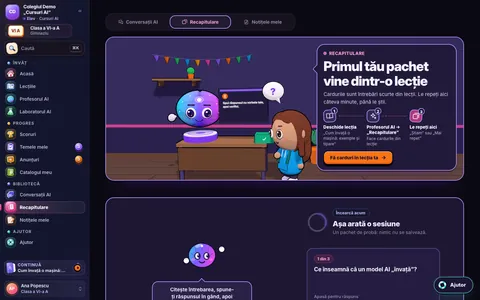
Review with flashcards
Flashcards made from the lessons, repeated at the right time, with the notes next to them.
-
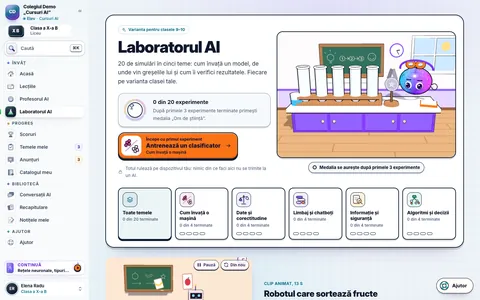
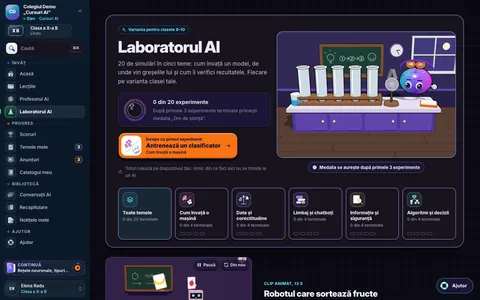
The AI Lab
Simulations that run in the browser, about how a model learns and where its mistakes come from.
-
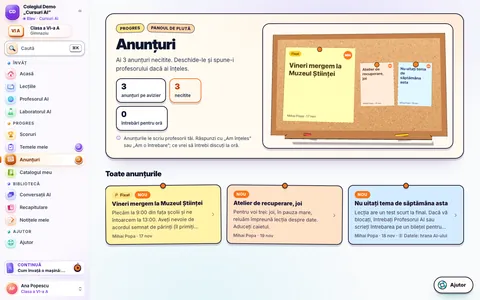
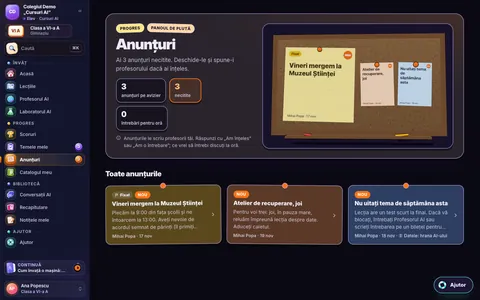
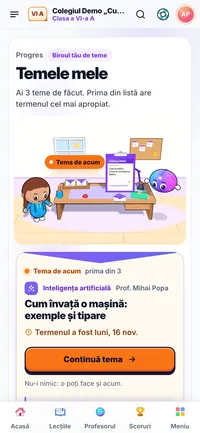
Announcements and homework
The class announcements, with two fixed replies, and the homework with its deadline. No chat between students.
From the app
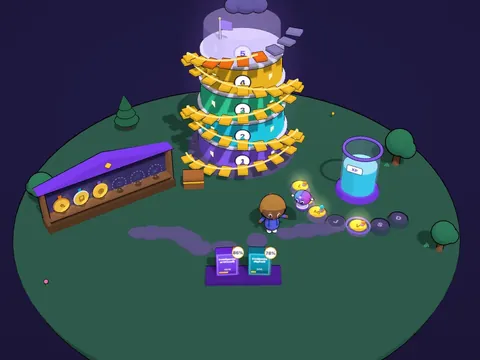
The objects students see every day
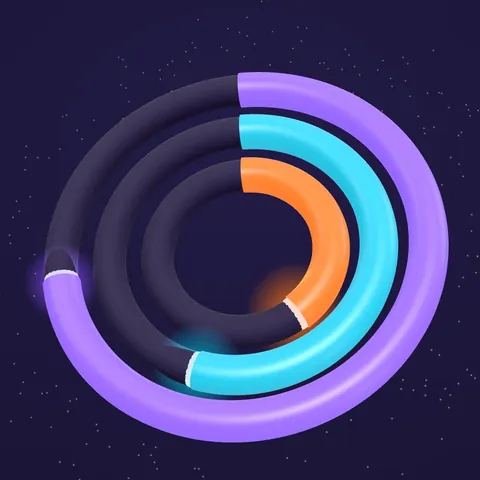
Two worlds
Lower secondary and upper secondary, compared
The year, as a path
The lessons of each year
- 1What artificial intelligence is (and what it is not)
- 2How a machine learns: examples and patterns
- 3How a program decides: rules, decision trees, search
- 4Data: the food of AI
- 5Talking to a chatbot: how to ask a good question
- 6When AI gets it wrong: made-up answers and how to check
- 7My safety online: personal data, deepfakes and who to tell
- 8AI for homework: a coach, not a crib sheet
- 9Creative with AI: stories, drawings, music and respect for authors
- 10How a computer reads handwritten digits
- 11A map doesn’t show everything: what we keep and what we leave out
- 12Ideas taken from nature: bats, ants and machines that copy them
- 13Sentences by rules: how a computer builds sentences
- 14What every child knows and the computer doesn’t: common sense
- 15What will the weather be tomorrow? Predictions from past days
- 16My password and my account: how I look after my account
- 17Technology for everyone: AI that helps people see, hear and speak
- 18Project: a picture book about AI for younger pupils
- 1How a computer “sees”: pixels, colours and edges
- 2How a computer “hears”: voices, music and guessed words
- 3Sensors and robots: sensing is not understanding
- 4The shortest route: maps, nodes and search
- 5Recommendations: how an app guesses what you like
- 6AI in nature and in sport: animals counted, balls tracked
- 7Hurry, secret, reward: the messages that want to trick you
- 8Words with two meanings: why the chatbot misses the joke
- 9Project: the map of AI in our class’s life
- 10The Earth seen from above: satellites, unseen colours and maps made with AI
- 11Detectives of the past: the AI that helps read old documents
- 12When the computer reads aloud: from text to speech
- 13The robot that makes its plan: steps, order and obstacles
- 14Spam or not? How a filter learns to sort messages
- 15What an assistant can and cannot do: you choose the right tool
- 16What I post and who sees it: the audience, copies and other people’s consent
- 17For everyone or just for some? Devices that do not work the same for everybody
- 18Project: the class board game about AI
- 1Features: how we describe things so a computer can compare them
- 2The tree that learns from data
- 3Learning by trial and reward
- 4Faces and cameras: detecting, recognising and privacy
- 5Noughts and crosses: how the computer chooses its move
- 6What apps know about me: permissions, location, profile
- 7The “empathetic” chatbot: my feelings and the people around me
- 8Machine translation: how a text moves from one language to another
- 9Project: a paper classifier for recycling at school
- 10How many steps did you take? How a device recognises movement
- 11More examples from the same examples: rotations, mirror images and traps
- 12Something is not right: how a program spots unusual data
- 13The school timetable: how a computer solves a problem with many rules
- 14The automatic summary: what a program keeps and what it loses
- 15The smart farm: sensors, drones and the farmer’s decision
- 16Screen time: the apps that hold your attention and my plan
- 17Robots that help: in the warehouse, in hospital and at home
- 18Project: the paper prototype of an AI app
- 1Machines that find their own way: sensors working together
- 2Concept maps: how a computer links ideas together
- 3Words as numbers: the map of meanings
- 4Groups without labels: when the computer makes its own categories
- 5Can a machine be conscious? Criteria and arguments
- 6Who gets a say? The values behind an AI system
- 7Jokes, edits, fake accounts: when AI is used to hurt
- 8Machines that change work: from steam to AI
- 9Project: AI for a problem in our community
- 10Electronic ears in the forest: AI that recognises the sounds of nature
- 11The app that recognises plants: when you can rely on it
- 12The best route, by which criterion? Navigation and its effects
- 13Several trees, one decision: how models vote together
- 14The people behind AI: who puts on the labels and who checks
- 15The assistant that listens: the wake word, the recordings and your home
- 16Money in games and apps: coins, surprise boxes and offers tailored to you
- 17Children’s rights in the world of AI: what an app made for you should respect
- 18Project: the class campaign for the responsible use of AI
- 1How a language model works
- 2Neural networks, types of learning and how we measure a model
- 3Prompting for learning: AI as a Socratic teacher
- 4Hallucinations and checking information
- 5Bias and fairness in AI systems
- 6Deepfakes, manipulation and disinformation
- 7Your data and the law: GDPR and the AI Act made clear
- 8AI and the future of jobs
- 9Project: design an AI assistant for your school
- 10How well does it hear you? Speech recognition, accents and the error rate
- 11Expert systems: rules, chains of deductions and explanations
- 12Characters in games: state machines and behaviour that seems intelligent
- 13Data made by AI for AI: synthetic data and its risks
- 14From search to answer: the index, the ranking and citing sources
- 15Who has access to AI? Digital divides and technology for everyone
- 16My phone and laptop, kept safe: updates, apps, networks and QR codes
- 17Dilemmas for machines: who decides the values of an autonomous system
- 18Project: a lesson about AI taught by you to lower-secondary students
- 1Computer vision: filters, features and convolutional networks
- 2How you really learn: proven techniques and where AI fits in
- 3Predicting with a straight line: regression and the memorising trap
- 4Attention: how a language model takes context into account
- 5From noise to image: how image generators work
- 6AI agents: when an assistant doesn’t just answer, but acts
- 7My health and AI: advice, body, self-image
- 8AI and the environment: energy, water and choices
- 9Project: build a test for a chatbot
- 10How far away is it? Lidar, stereo cameras and depth images
- 11Where am I? How a robot reasons under uncertainty
- 12Cameras that search for people in a crowd: false alarms and the rules
- 13Going down the slope: how a model finds its weights
- 14Grammar on a computer: sentence trees and ambiguity
- 15AI that writes code: help, mistakes and checking
- 16What you see in your feed and how you feel: upsetting content and your control
- 17Who pays for AI? Adverts, subscriptions, data and what products are after
- 18Project: a small citizen science project, with data collected honestly
- 1How an assistant learns to be helpful: preferences and sycophancy
- 2AI in science: what it discovers, what people check
- 3AI in medicine: images, triage and the doctor’s decision
- 4Why did it decide that? Explainability, transparency and accountability
- 5Disinformation at scale: automated accounts and coordinated networks
- 6Human and artificial intelligence: a reasoned debate
- 7Scams and blackmail with AI: cloned voices, fake profiles
- 8What kind of problem is it? From classification to logical deduction
- 9Project: the ethical audit of an AI system
- 10Sign language and technology: when an invention doesn’t ask the community
- 11Deliveries and the combinatorial explosion: optimisation and work directed by algorithms
- 12Correlation or cause? What a model can conclude from data
- 13The right amount of trust: when we rely on automation too much or too little
- 14An algorithm in public administration: the lessons of a real case
- 15AI tutors: what the evidence says about learning with an assistant
- 16Online betting and gambling: targeted ads, “AI tips” and how to protect yourself
- 17People and AI as a team: where it helps, where it gets in the way, who checks
- 18Project: a journalistic investigation into AI in our community
- 1The life cycle of an AI system: from data to monitoring
- 2Models that see, hear and speak: multimodal AI
- 3How good is a model? Benchmarks and leaderboards
- 4Adversarial testing: how the weak points of an AI are found
- 5Training data: copyright, consent, rules
- 6AI at university and in your first job: rules, skills, portfolio
- 7At 18: your account, your data, your decision
- 8Promises and fears: how to judge a prediction about AI
- 9Project: our school’s AI policy
- 10Perception with privacy by design: a sensor system for the school
- 11Decisions under uncertainty: the cost of errors and the alert threshold
- 12Inside a network: backpropagation and the attempts to understand it
- 13Who does an assistant speak for? Language, culture and the values in its answers
- 14Who makes the rules for AI: the EU, the Council of Europe, UNESCO and standards
- 15Open or closed models: who controls the technology
- 16Offers too good to be true: “AI” investments, fake ads and borrowed accounts
- 17What I leave to AI and what I keep: my skills
- 18Project: the graduation debate on AI and society
Safety, as the student sees it
Always clear that it is an AI
- Under the box, always: an AI assistant that can make mistakes; the teachers can read the conversations.
- “Report the answer” on every reply; the report reaches the teacher.
- A crisis message gets a fixed reply at once, with 116 111 and 112, even after the daily limit.
- Phone numbers, emails and addresses written by the student are hidden before the model.
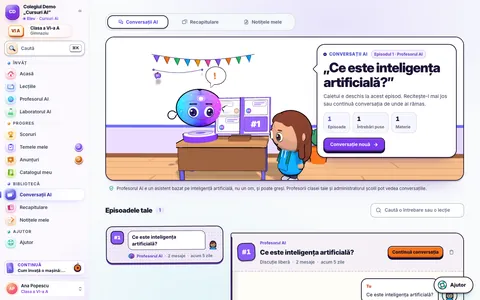
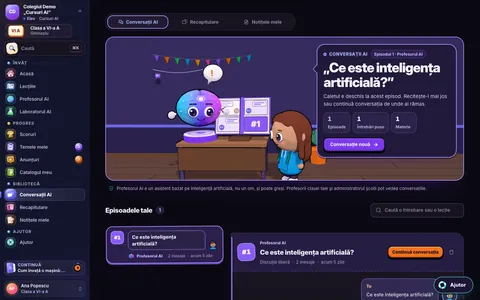
For every student
Easy to read, in their language
- “Easy reading”A reading mode saved on the student’s account, not on the lab computer.
- Text sizeChosen by the student, together with the light or dark theme.
- Without devicesEvery lesson has a version without devices, and the worksheets can be printed.
- Romanian and EnglishThe lessons have an English edition; the AI Teacher answers in the student’s language.
Questions
Frequently asked questions
Can students compare their scores?
No. Scores, levels and medals belong to each student; there are no rankings. The class has a common goal, without names.
Can a student choose English?
Yes, if the class allows it: the student changes the language from the menu, and the AI Teacher answers in that language.
What if a student writes something worrying?
A crisis message gets a fixed reply with 116 111 and 112 at once, and the teachers get an alert; the details are on the Safety page.
Another question?
Call us, write to us or use the form.
Show your students what AI really is
In the demo we open a student’s home, a lesson and the AI Teacher, for the grades you choose.
- A demo for the management and the teachers
- One hour of online training, included
- The school creates the student accounts, in the app