The platform for schools · grades 5–12
Artificial intelligence lessons, with the AI Teacher on hand.
Lessons for every year from grade 5 to grade 12, an AI assistant that each teacher sets up for their class, and student safety first.
- 144 lessons, grades 5–12
- The class AI Teacher
- Safety in 3 layers
- Romanian and English
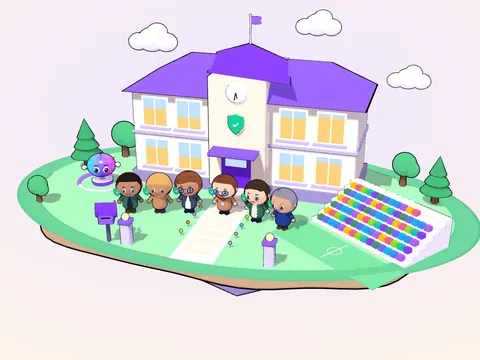
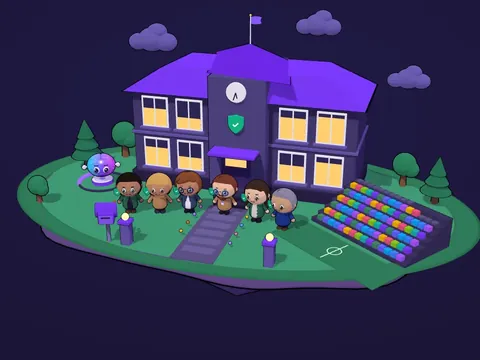
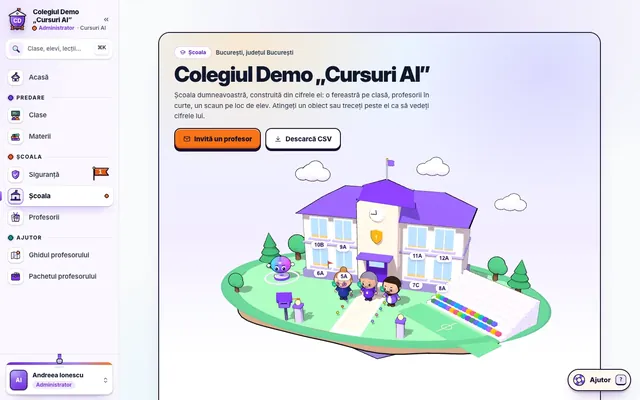
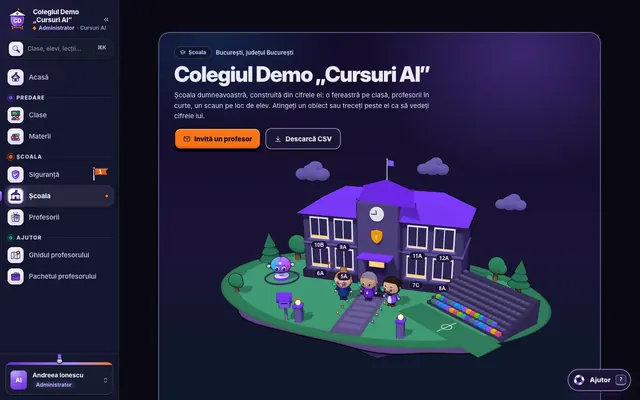
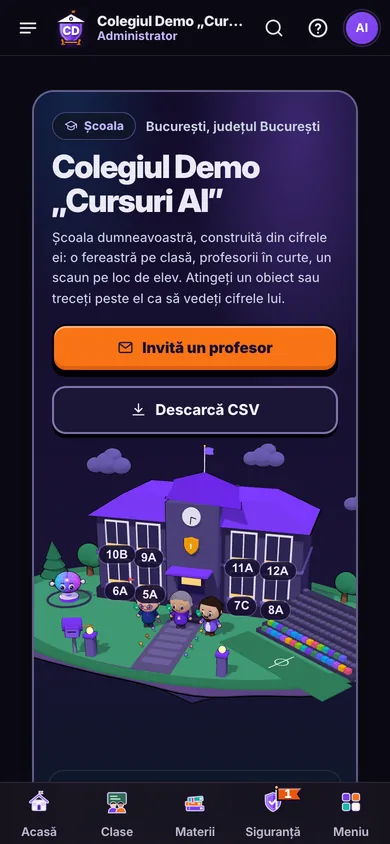
An example school, as the administrator sees it in the app. Point at a label.
One AI lesson
An AI lesson, from the first click to the parents’ email
What students, the teacher and the parents see, moment by moment, in the app.
-
Students sign in with their slip
Each student has a code and an easy-to-type password, printed on a slip. No email, no phone number.
-
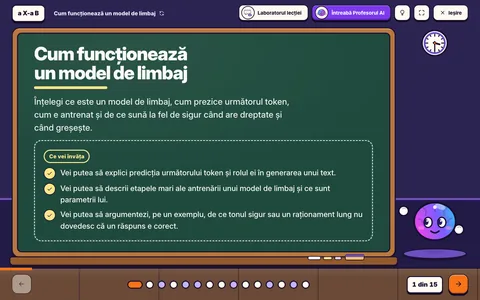
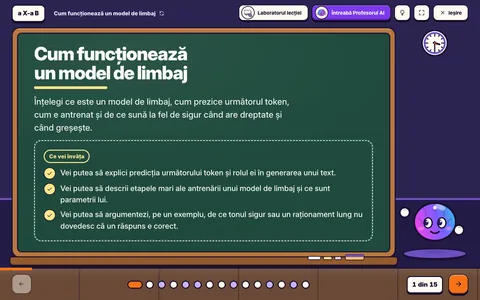
The lesson on the board
The teacher projects it in “Class mode”: the explanations, the activities and the questions, slide by slide.
-
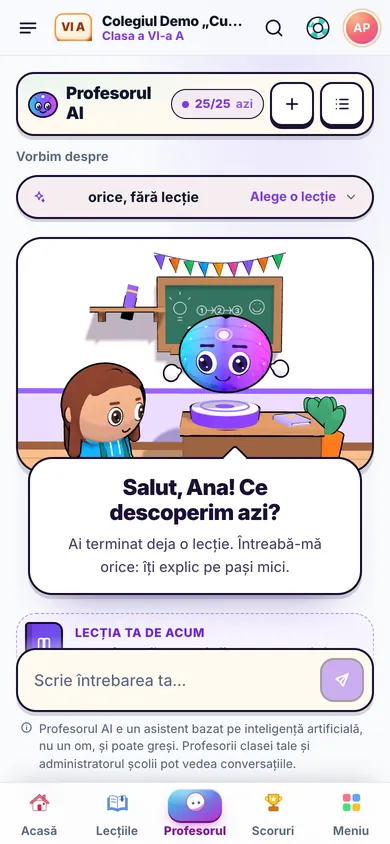
Students ask the AI Teacher
Each on their own device, at the level of the class and in the tone chosen by the teacher.
-
The lesson’s quiz
The score comes at once and the points add up. The AI Teacher does not grade: scores are calculated, not generated.
-
Medals and levels
Bronze, silver and gold, for lessons, quizzes and experiments. No rankings between students.
-
The weekly email, at home
On Sunday, parents who confirmed their address get the child’s lessons, minutes and open homework.
For every role
One platform, four ways in
Choose a role: real screens of the app, from the demo school (fictitious names), on a laptop and on a phone.
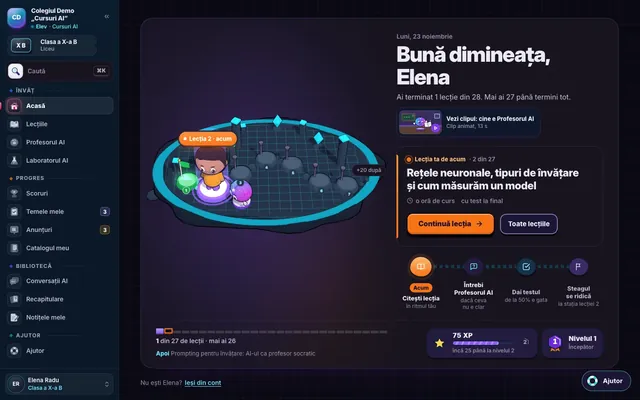
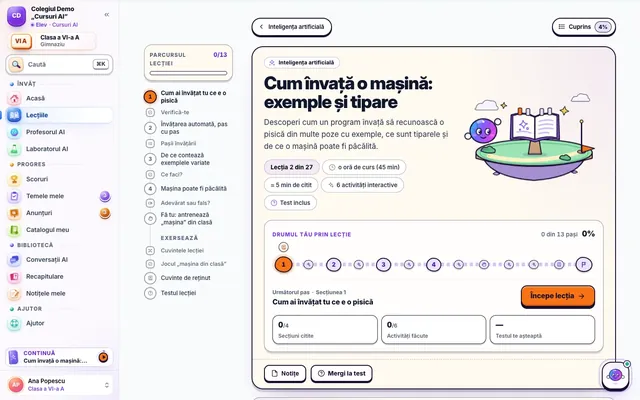
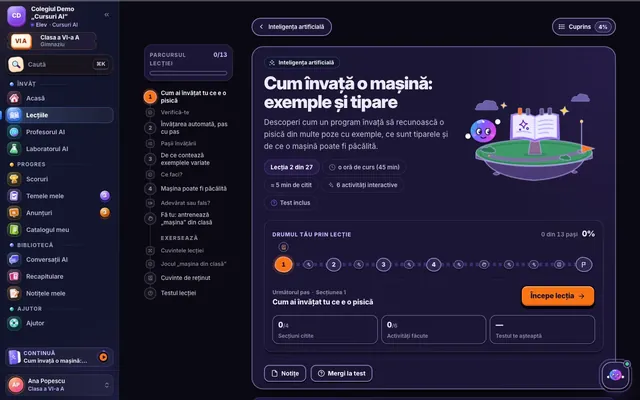
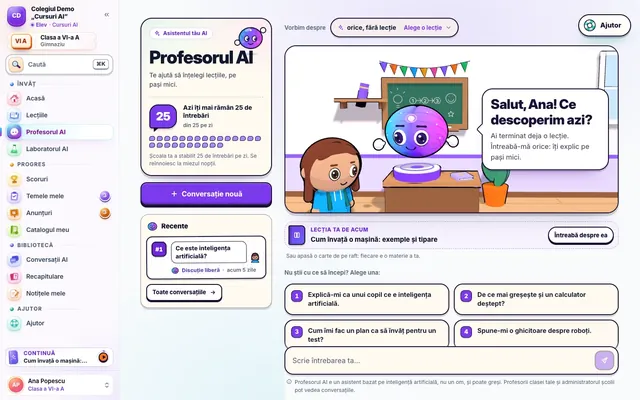
Student · 1/7
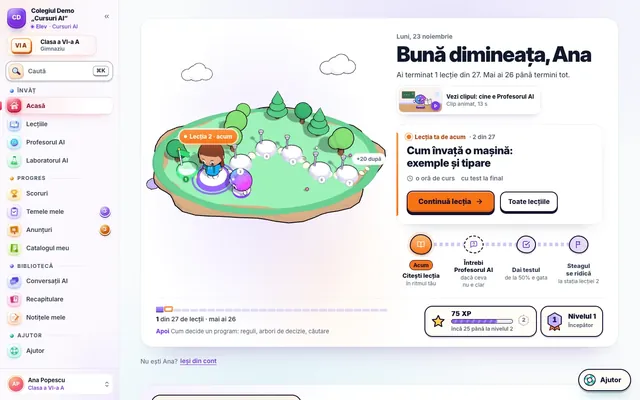
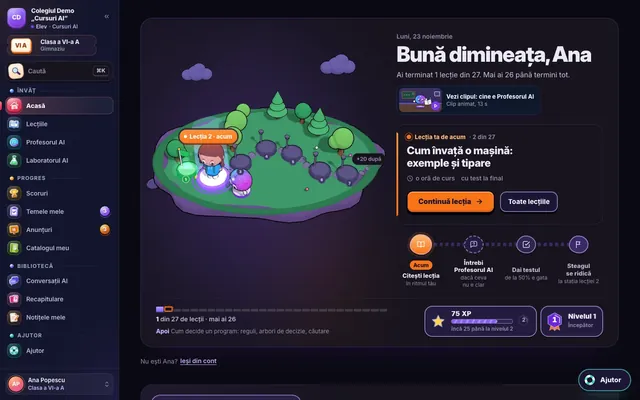
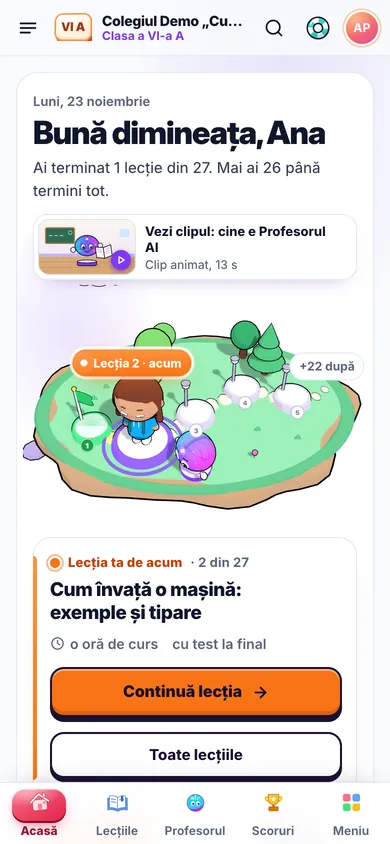
Home, grades 5–8
The student sees the lesson of the moment on the “Path” island, the points, the level and the steps of the lesson.
Student · 2/7
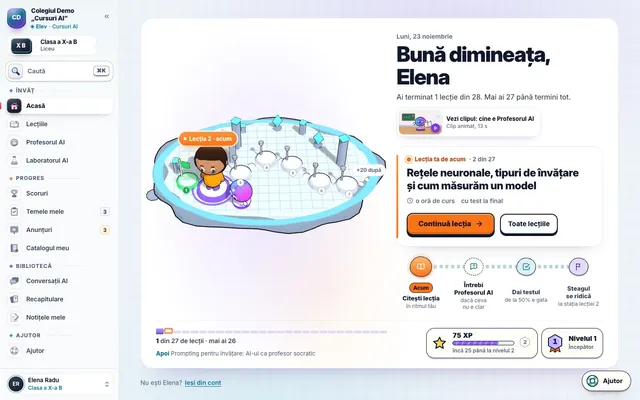
Home, grades 9–12
The same story for high school, in the “lab” world: slate, a drafting grid and turquoise.
Student · 3/7
The lesson
The lesson, section by section, with interactive activities and the test at the end; the progress is kept.
Student · 4/7
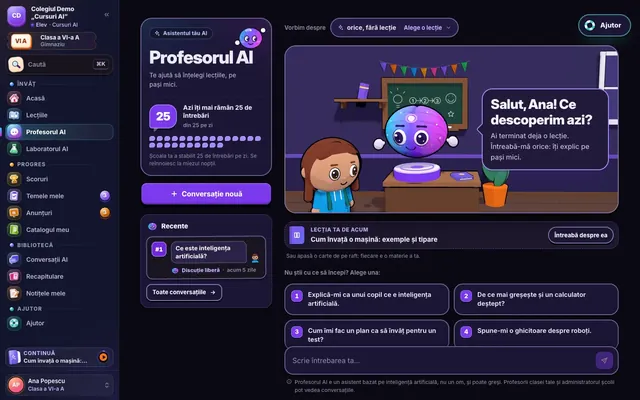
The AI Teacher
Questions suggested by the lesson, the daily limit always visible and, under the box, the note that it is an AI assistant.
Student · 5/7
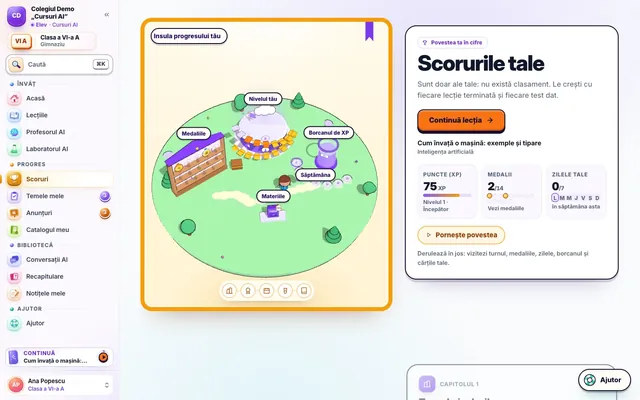
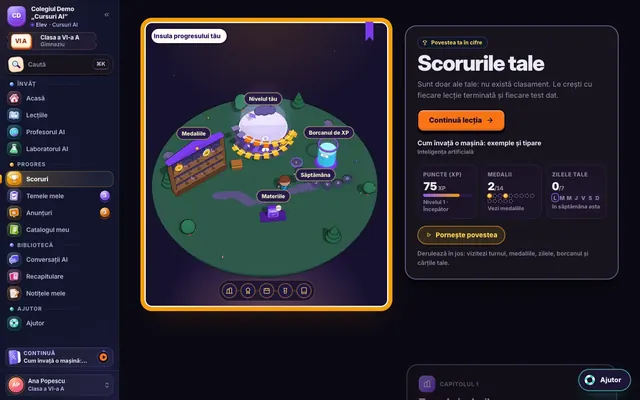
Scores
The level, the medals and the learning days, as an island. No rankings between students.
Student · 6/7
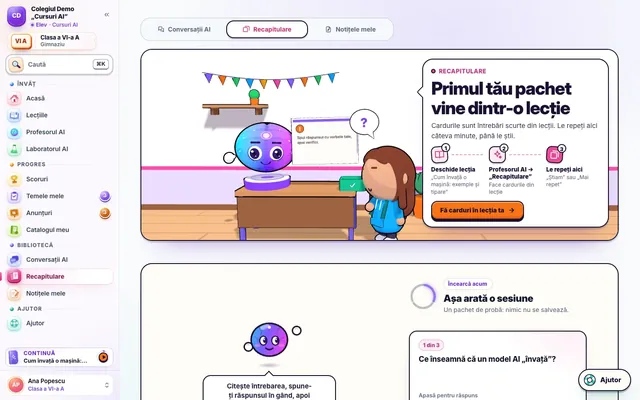
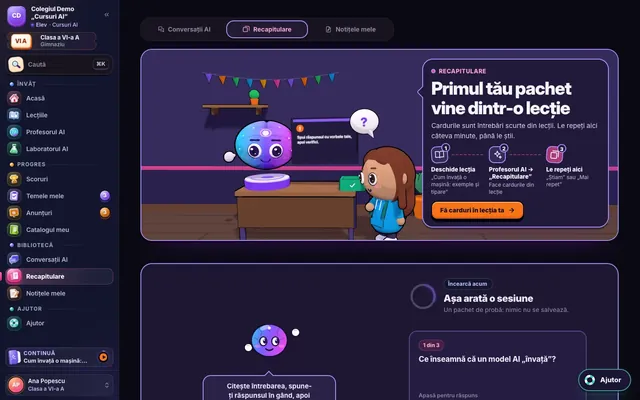
Review
Flashcards made from the lessons, repeated at the right time.
Student · 7/7
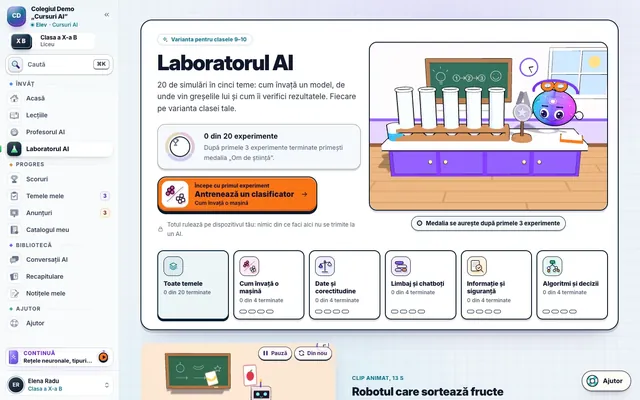
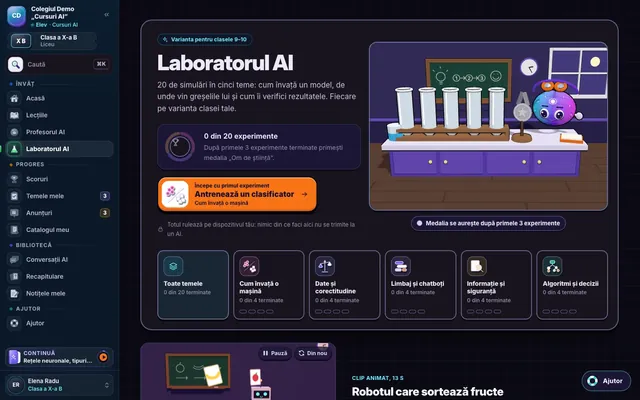
AI Lab
Simulations that run in the browser, about how a model learns; nothing is sent.
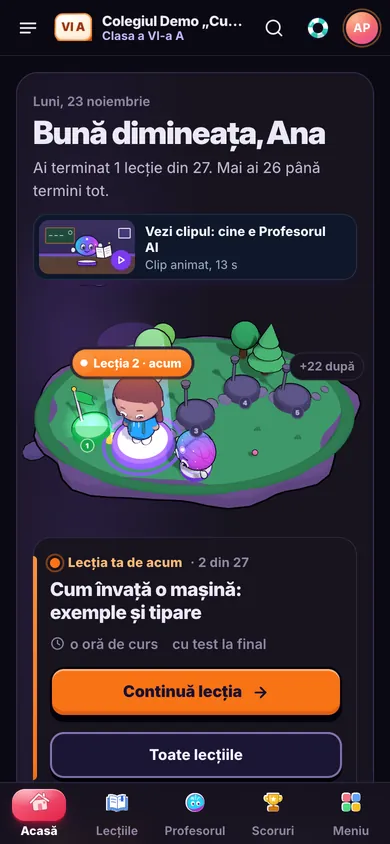
- The AI Teacher inside every lesson.
- Scores and medals, without rankings.
- An account without email, from a printed slip.
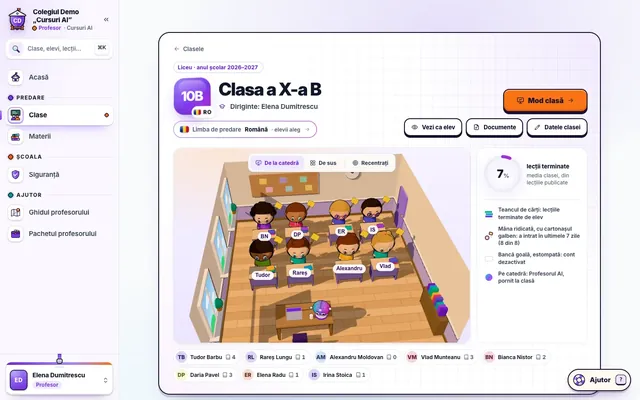
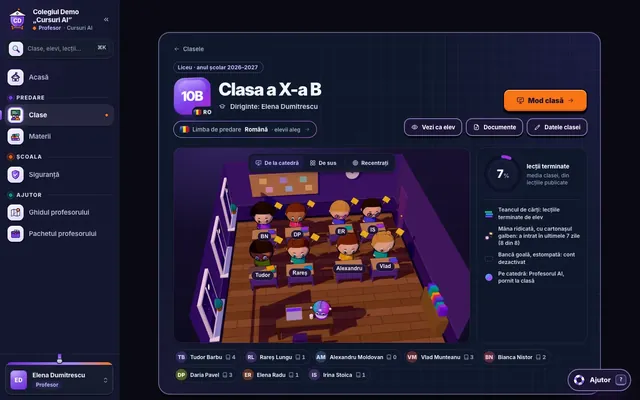
Teacher · 1/6
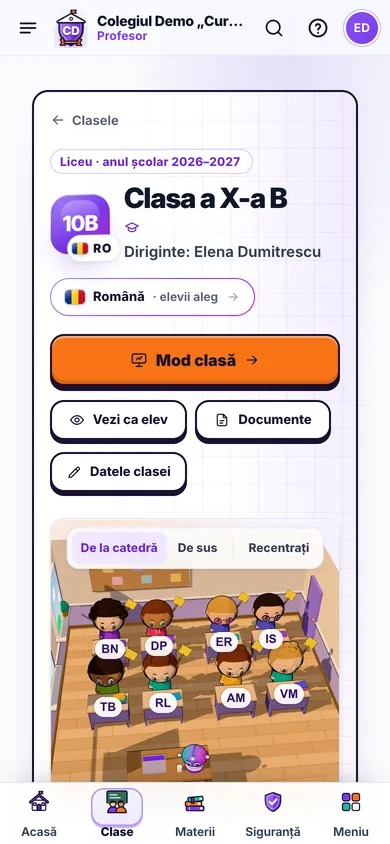
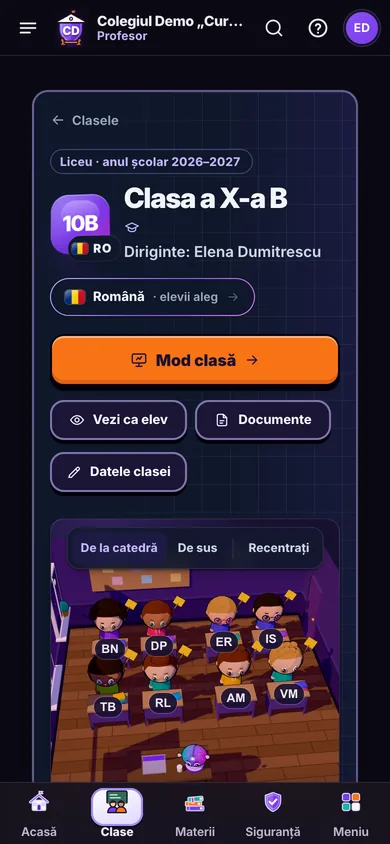
The class
The class as a room: each student at a desk, the progress and “Class mode” for the projector.
Teacher · 2/6
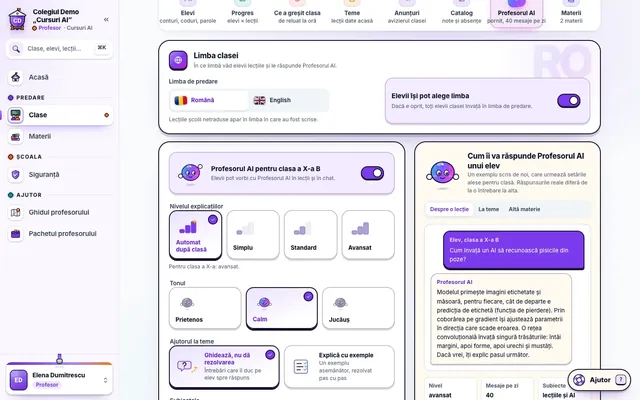
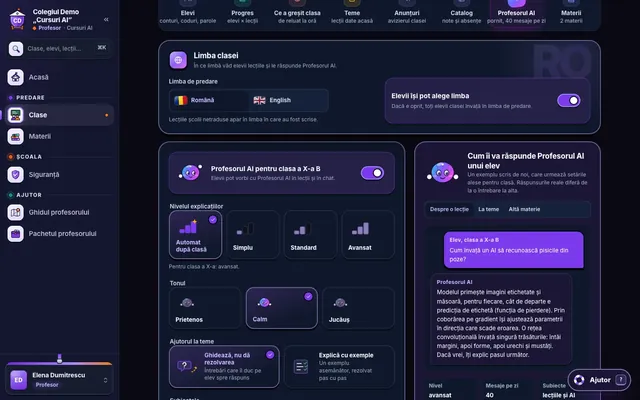
AI Teacher settings
The teacher sets the level, the tone, the homework help and the topics for the class, with a preview.
Teacher · 3/6
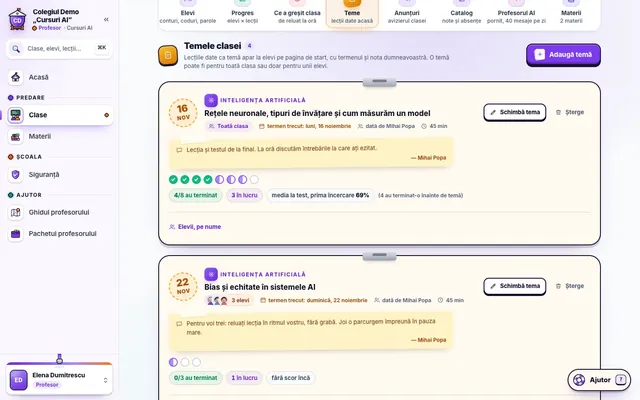
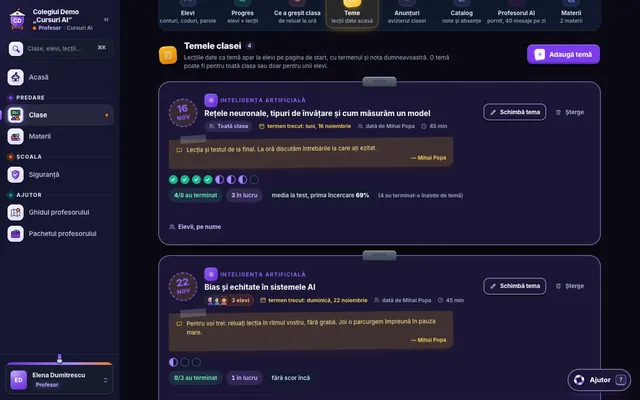
Homework
Homework for the whole class or for some students, with a deadline, a note and the progress.
Teacher · 4/6
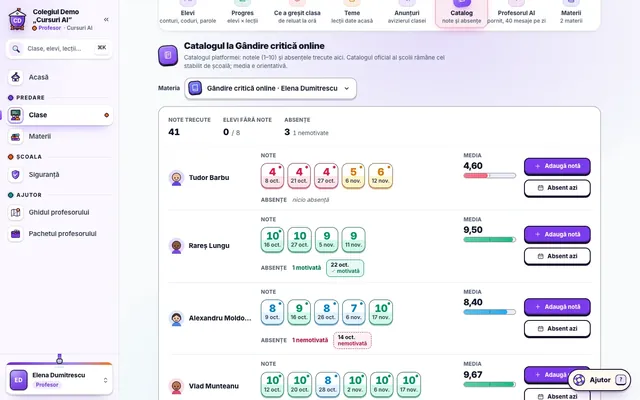
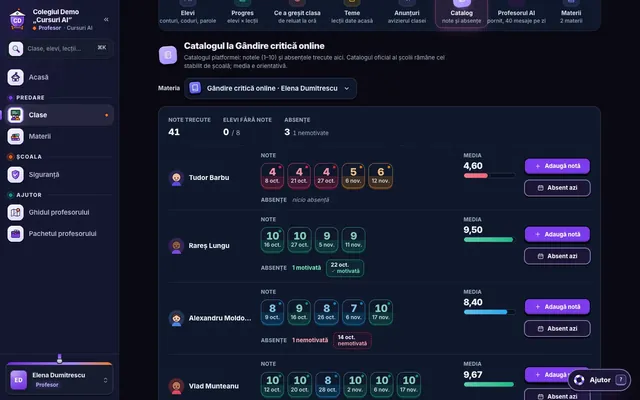
Gradebook
Grades from 1 to 10 and absences on the platform, with an indicative average.
Teacher · 5/6
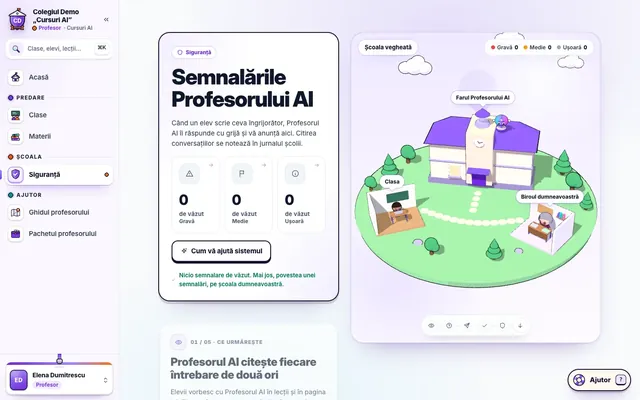
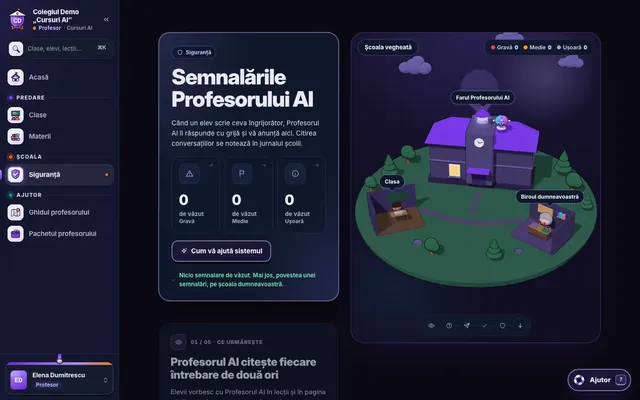
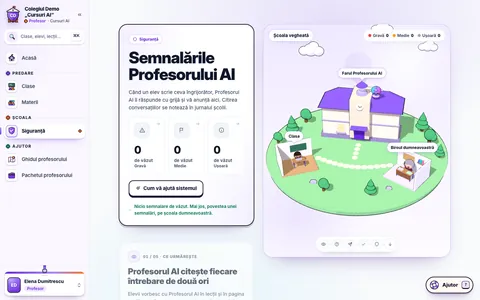
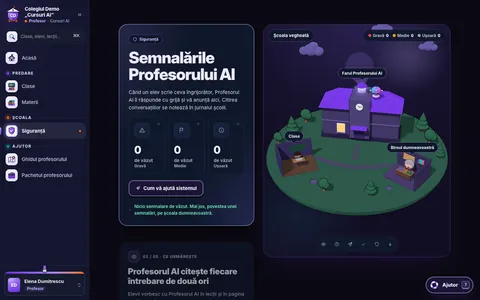
Safety
The alerts of the teacher’s classes, by severity, with “Seen it” and a note.
Teacher · 6/6
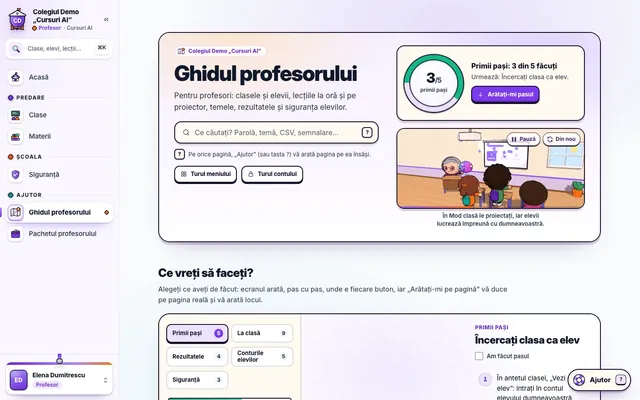
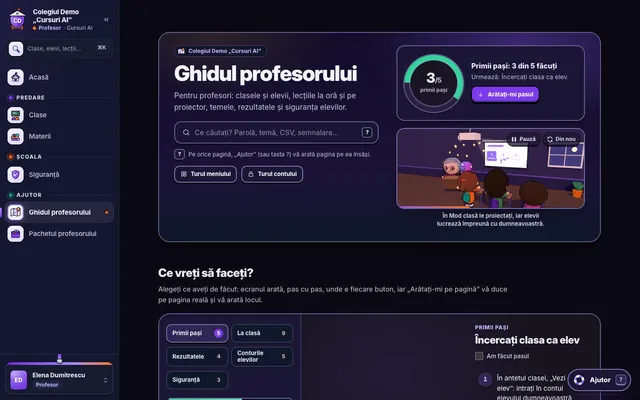
Teacher’s guide
Step-by-step recipes and a tour on every page of the app.
- Lessons, worksheets and planning, ready.
- The AI Teacher set up for each class.
- Homework, gradebook and “Class mode”.
Administrator · 1/4
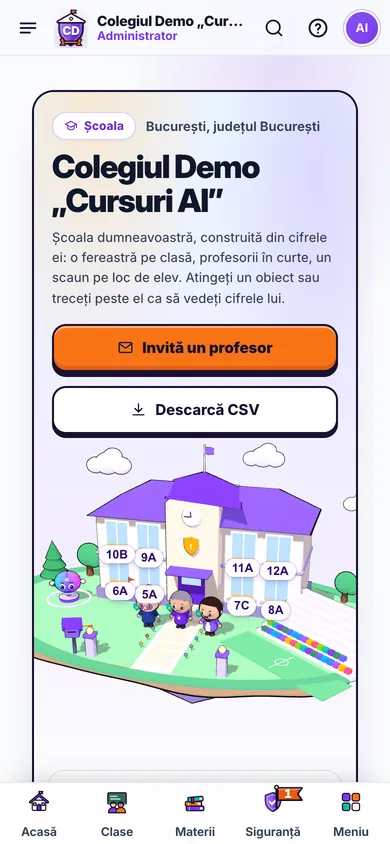
The school
The whole school as a world: a window for each class, the teachers, the invitations and the seats.
Administrator · 2/4
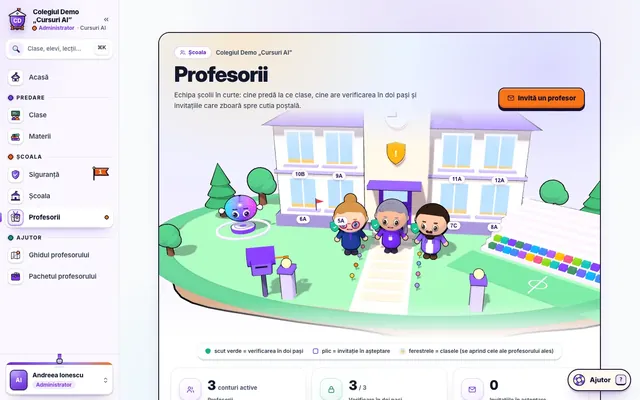
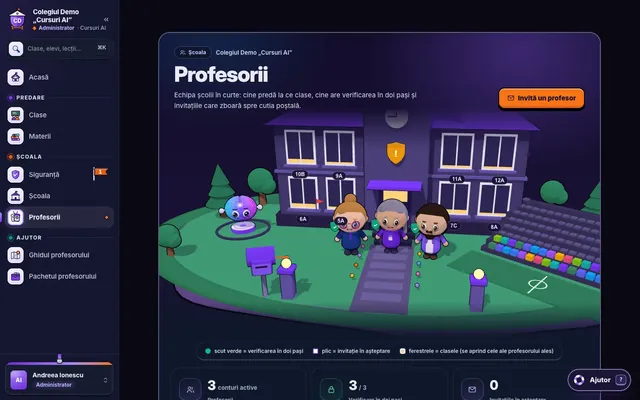
Teachers
Invitations, roles and each person’s two-step verification.
Administrator · 3/4
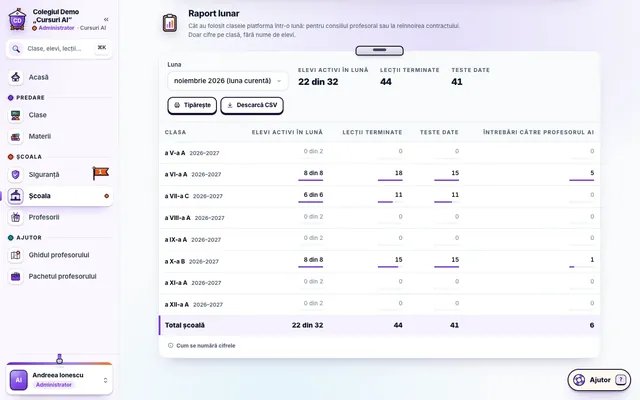
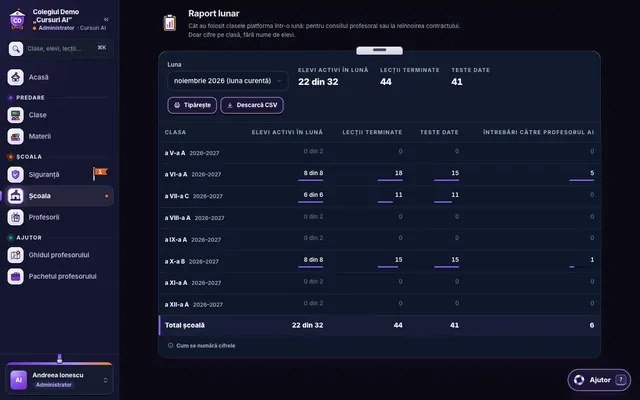
Monthly report
How each class used the platform in a month, with print and CSV, for the teachers’ council.
Administrator · 4/4
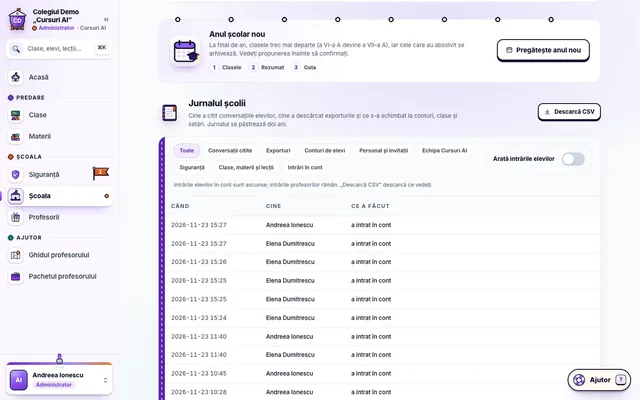
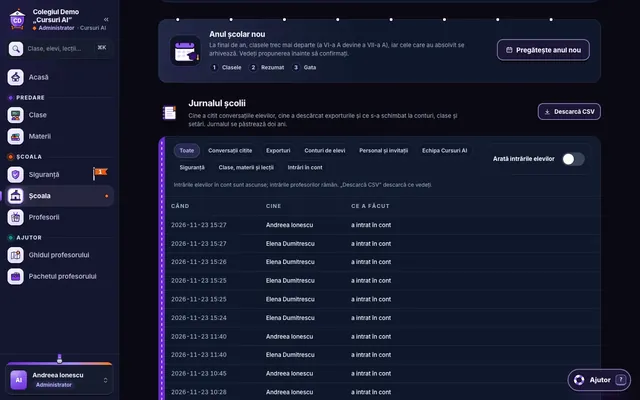
The audit log
Who read a conversation, who downloaded an export, what changed in the accounts; downloadable as CSV.
- Invitations, staff and seats.
- Alerts, the audit log, exports.
- The data processing agreement before the first student.
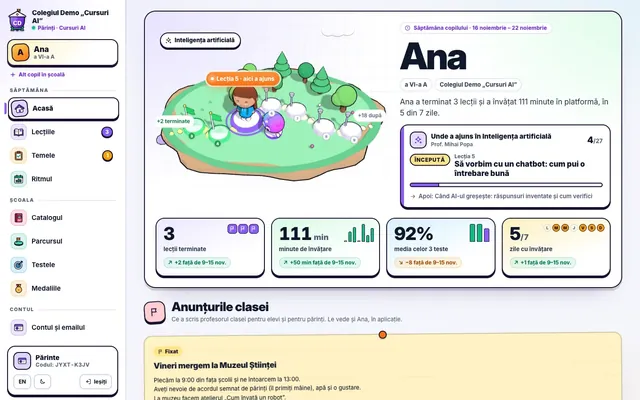
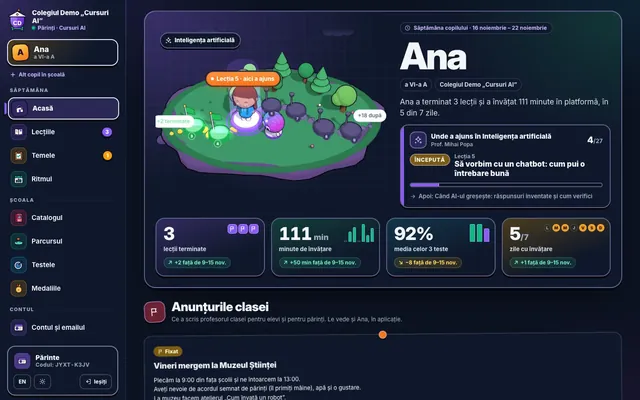
Parent
The child’s week
Lessons, minutes, tests and the class announcements, with the child’s path on the island.
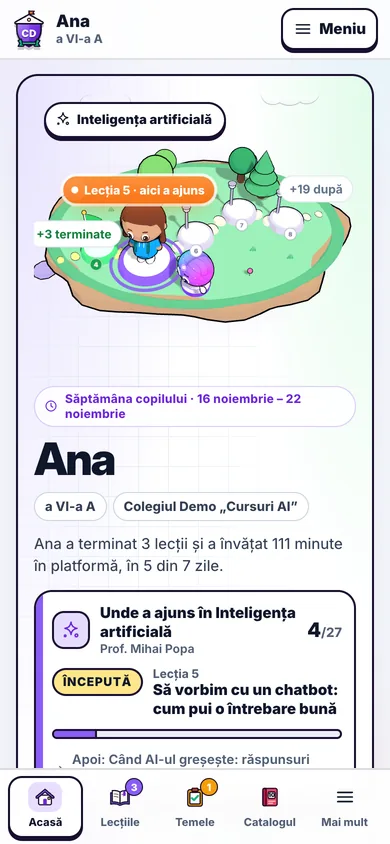
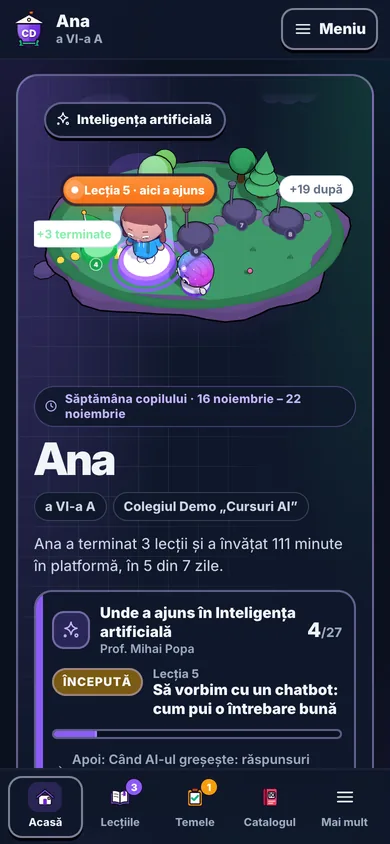
- The child’s week, up to yesterday.
- The platform’s gradebook.
- A weekly email, only on request.
The added value
More than a course platform, safer than a chatbot
- 144144 lessons 18 per year, grades 5–12, with quizzes and teacher’s notes
- 33 safety layers Filters before the model, the model’s rules, the teacher
- 00 student emails Student accounts on a printed slip: a code and a password
- 11 file per class Proposal, syllabus and planning for the county inspectorate (ISJ)
- 22 languages Romanian and English: lessons, the app and the AI Teacher
 Schoolby Cursuri AI
The other two columns describe typical products, not a named one.
What we offer
Everything a school needs for AI lessons, in one package
For students, teachers, administrators and parents, on the same platform.
- AI lessons, grades 5–12144 lessons with quizzes and teacher’s notes
- The AI TeacherSet up by the teacher for each class
- Safety in 3 layersAnd the alerts for teachers
- Gradebook, homework, announcementsFor the subjects done on the platform
- For parentsTheir child’s page and the weekly email
- The school’s own subjectsTeachers add subjects and lessons
- Romanian and EnglishThe lessons, the app and the AI Teacher
- One hour of online trainingWith the teachers, included
- The file for an electiveFor the county inspectorate (ISJ) approval
AI assistant · can make mistakes
The AI Teacher
Set up by the teacher, for each class
Each teacher chooses how the assistant talks to their class. The safety rules stay above every setting.
Students always see that they are talking to an AI assistant that can make mistakes, and that their teacher can read the conversations. The AI Teacher does not grade.
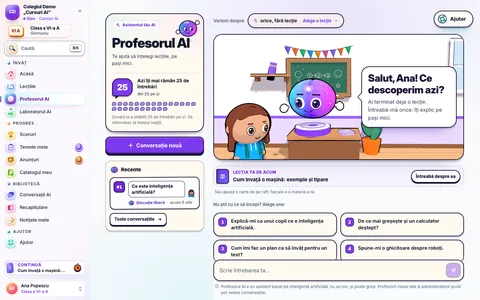
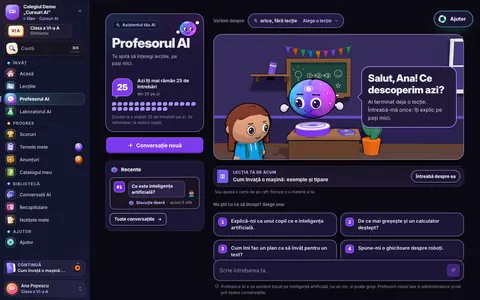
The real screen, from the demo school (fictitious names).
The AI Teacher at work
The same topic, at the level of each class
Every lesson suggests questions for the AI Teacher. Here are two on how computers see, in grade 6 and in grade 10.
How does a program find the edges in a picture?
From the lesson · “Where the edges are”
An edge is a place where the colour or the brightness changes suddenly between two neighbouring pixels. A program finds edges by looking at small groups of pixels and searching for a bright pixel next to a dark one.
Why are the filters of a convolutional network not written by hand?
From the lesson · “Layers that learn their own filters”
In a convolutional neural network, nobody writes the filter numbers by hand: they are weights, adjusted during training just like the perceptron’s weights, so the network makes fewer and fewer mistakes on the labelled examples.
The text above is from the lesson, not a generated answer. You can see the AI Teacher answer live at the demo.
Safety
Every message passes through three layers
Here is what happens when a student writes their phone number to the AI Teacher.
-
The student writes
Can you call me at 0712 345 678? I don’t get the homework.
-
Before the model
The number is hidden: neither the model nor the database sees it. An alert opens for the teacher.
Can you call me at [phone hidden]? I don’t get the homework.
Personal data in the messageMinor
-
The model’s rules
The model only gets the masked text. The reply starts with a fixed note:
I hid the personal details in your message. You don’t need to write them here: not your phone number, your address or your email.
-
The teacher
The alert reaches the teacher’s “Safety” page, with the excerpt already masked.
Curriculum
The platform’s AI curriculum, plus the school’s own subjects
- lessons
- 144
- per year
- 18
- school years
- 8
Every lesson has objectives, explanations, activities, a test, a glossary, questions for the AI Teacher, a version without devices and teacher’s notes with sources. Teachers add their own subjects and lessons.
See every lessonThe AI elective and the county school inspectorate (ISJ) file
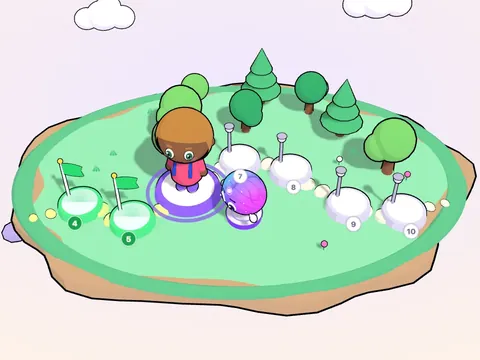
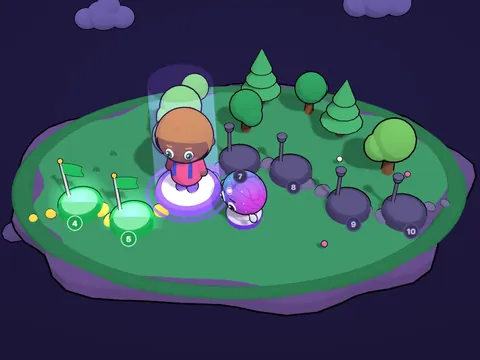
Grade 6: the stops are the real lessons of the year.
Getting started
How a school gets started
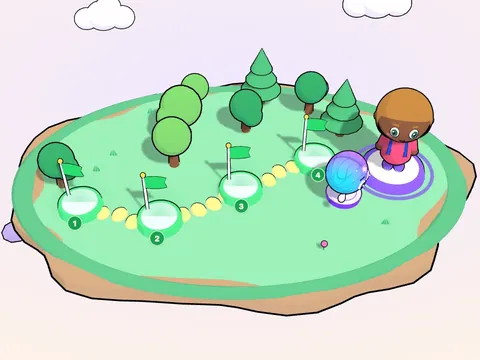
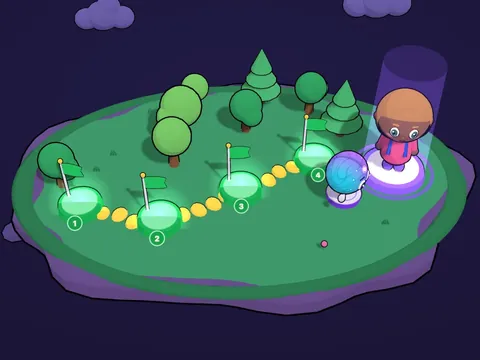
The student’s path from the app, with the steps as stops.
- The demoWe show you the platform and answer the questions of the management and the teachers.
- The contract and the data processing agreementThe price is per student seat and per school year. The agreement is signed before the first student.
- The school in the platformThe Cursuri AI team creates the school and invites the administrator; teachers can be invited in batches of up to 30.
- The trainingOne hour online with the teachers, included.
- The first lessonTeachers create the classes, print the students’ slips and start the first lesson.
Questions
Frequently asked questions
How is it different from a general AI chatbot?
It comes with lessons for every year from grade 5 to grade 12, the assistant is set up by the teacher for each class, messages pass through filters for minors before the model, a crisis message gets a fixed reply with 116 111 and 112, and the teacher sees the conversations and gets the alerts.
What does the school get?
The AI curriculum, the AI Teacher, accounts for students, teachers, administrators and parents, the teacher’s kit, the file for an elective, the alerts and the audit log, the platform’s gradebook and one hour of online training.
Which grades is it for?
Grades 5 to 12: lower secondary (grades 5–8) and upper secondary (grades 9–12), with lessons for every year and a visual world for each age.
How can we see the platform before deciding?
In the demo: we open the app on the demo school (fictitious names), as a student, a teacher, an administrator and a parent, and we answer the questions of the management and the teachers.
The company behind Cursuri AI, the AI learning platform for professionals. School by Cursuri AI is its module for schools.
- AWS Activate member
- Cloudvisor partner
- Platform data in the EU
Where is the data stored?
The platform’s data (accounts, progress, conversations, gradebook, audit log) is stored in the EU. Questions to the AI Teacher, with personal data hidden first, are processed by the AI model provider, possibly outside the EEA, under the European Commission’s standard contractual clauses; the details are in the information notice.
Another question?
Call us, write to us or use the form.
Let us show you the platform
Tell us a few things about your school and we will set up a demo for the management and the teachers.
- A demo for the management and the teachers
- One hour of online training, included
- The school creates the student accounts, in the app